RedM Animation & Emote Menu Script (Open Source)
Bring RedM roleplay to life with 500+ animations, emotes, duo actions, prop attachments, quick slots and an animation search menu.
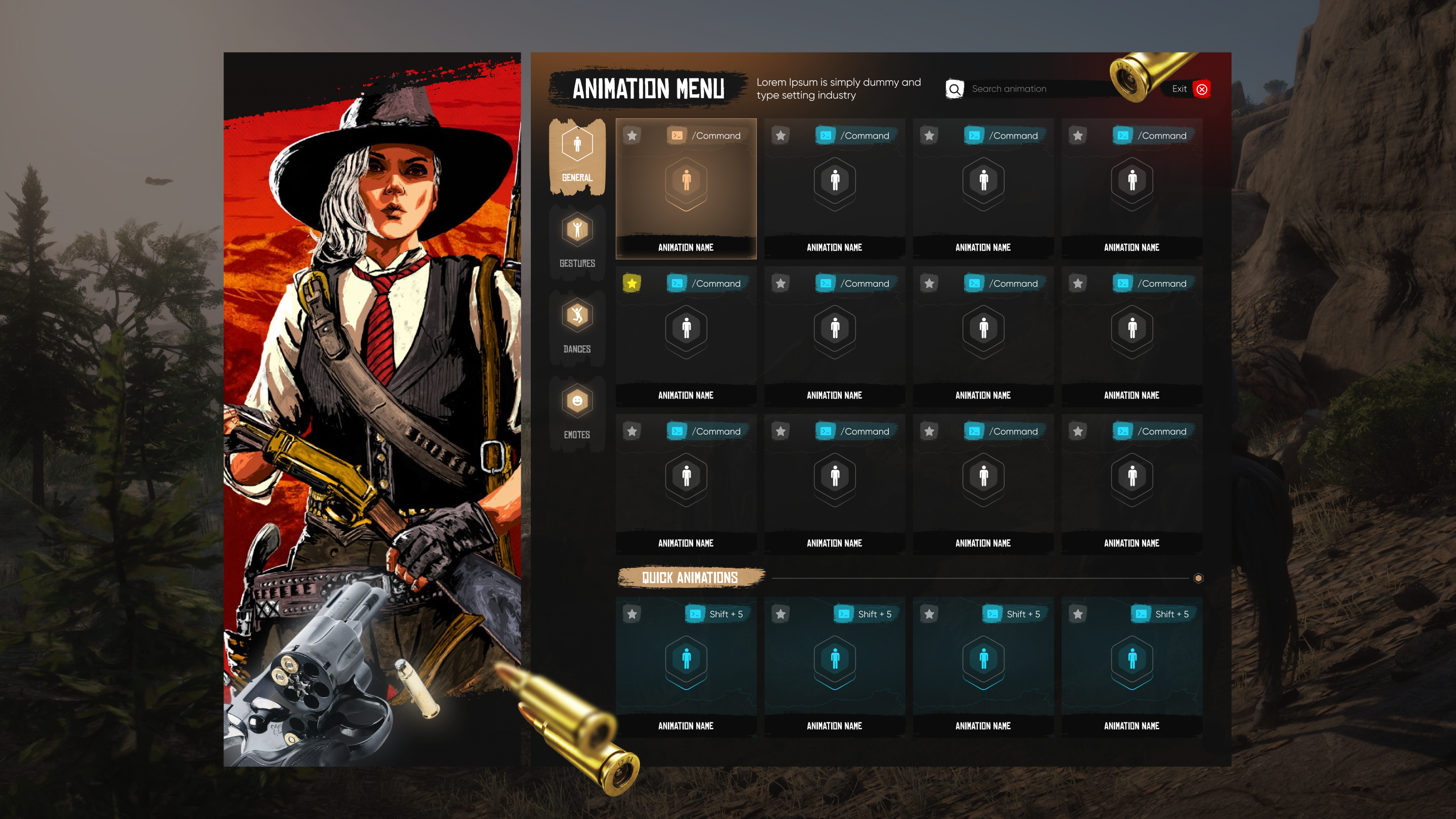
Features and gameplay
CodeRanch Animation System
Advanced Animation & Emote System for RedM
A comprehensive and immersive animation system with 500+ animations, modern UI, quick slots, duo animations, prop attachments, and advanced positioning tools for the ultimate roleplay experience.
What This Script Does
For Players:
- Access 500+ animations, emotes, dances, scenarios, and walk styles
- Quick access via customizable hotkeys (Shift+1-4)
- Perform synchronized duo animations with other players
- Fine-tune animation position and rotation in real-time
- Attach realistic props (umbrella, coffee, lantern, guitar, etc.)
- Automatically sit on benches and chairs
- Search animations by name or command in beautiful UI
System Features:
- 500+ pre-configured animations (scenarios, emotes, dances, walks, gestures)
- Modern, responsive NUI menu with search function
- 4 quick animation slots with customizable hotkeys
- Duo animation system with request/accept workflow
- Advanced animation positioning (move, rotate, height adjust)
- 9+ prop commands with auto-attachment
- Automatic bench/chair detection and sit system
- Database integration saves player quick slots
- Fully configurable categories and commands
- Multi-language support (easy to translate)
- Framework-agnostic (works with VORP/RedEM/QBR/Standalone)
CodeRanch Scripts - Professional RedM Development
Before you buy
Check the listed dependencies and the product documentation against your RedM server setup. The product description lists VORP, RedEM:RP, QBR, Standalone. Confirm version and integration requirements before installing.
This is the open source edition. Review the included files and license before planning custom code changes. Compare escrowed and open source scripts.
Other editions: Animation System | Escrowed
Read the RedM script installation checklist, review the refund policy, or contact CodeRanch support with compatibility questions.
Related Scripts