RedM Animation & Emote Menu Script (Escrowed)
Bring RedM roleplay to life with 500+ animations, emotes, duo actions, prop attachments, quick slots and an animation search menu.
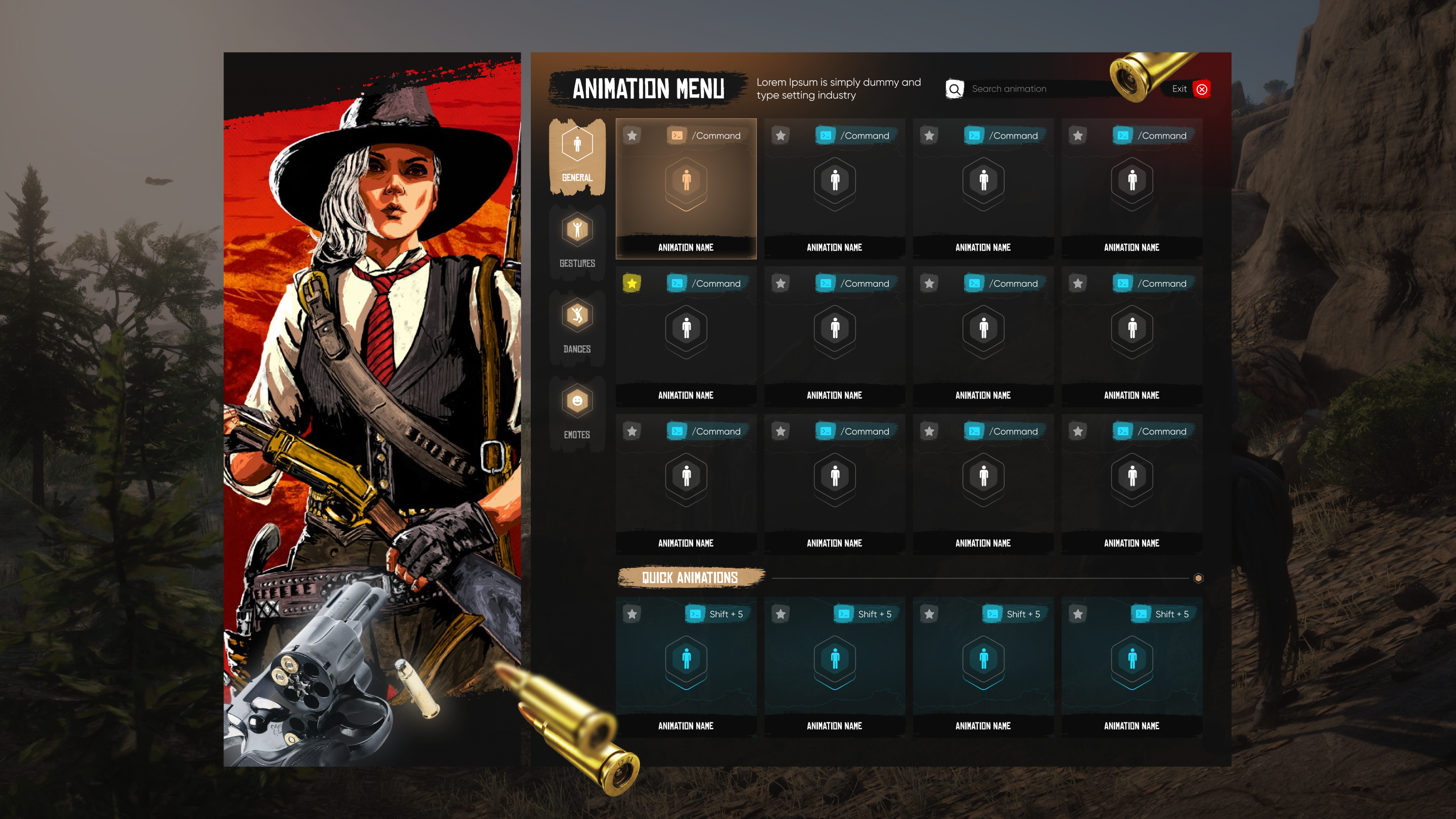
Features and gameplay
CodeRanch Animation System
Advanced Animation & Emote System for RedM
A comprehensive and immersive animation system with 500+ animations, modern UI, quick slots, duo animations, prop attachments, and advanced positioning tools for the ultimate roleplay experience.
What This Script Does
For Players:
- Access 500+ animations, emotes, dances, scenarios, and walk styles
- Quick access via customizable hotkeys (Shift+1-4)
- Perform synchronized duo animations with other players
- Fine-tune animation position and rotation in real-time
- Attach realistic props (umbrella, coffee, lantern, guitar, etc.)
- Automatically sit on benches and chairs
- Search animations by name or command in beautiful UI
System Features:
- 500+ pre-configured animations (scenarios, emotes, dances, walks, gestures)
- Modern, responsive NUI menu with search function
- 4 quick animation slots with customizable hotkeys
- Duo animation system with request/accept workflow
- Advanced animation positioning (move, rotate, height adjust)
- 9+ prop commands with auto-attachment
- Automatic bench/chair detection and sit system
- Database integration saves player quick slots
- Fully configurable categories and commands
- Multi-language support (easy to translate)
- Framework-agnostic (works with VORP/RedEM/QBR/Standalone)
CodeRanch Scripts - Professional RedM Development
Before you buy
Check the listed dependencies and the product documentation against your RedM server setup. The product description lists VORP, RedEM:RP, QBR, Standalone. Confirm version and integration requirements before installing.
This is the escrowed edition. Review the editable configuration files and protected-code limitations before purchasing. Compare escrowed and open source scripts.
Other editions: Animation System | Open Source
Read the RedM script installation checklist, review the refund policy, or contact CodeRanch support with compatibility questions.
Related Scripts